


How Long Should You Keep Financial Records
In this article you’ll learn how long you should hold onto your financial records.

How to create a QuickBooks Desktop file for an auditor
In this tutorial you’ll learn how to create a copy of your QuickBooks Desktop file that has only the data, by date, that an auditor would need to see.
QuickBooks Desktop for Small Business Owners – Part 2
This is part two of a tutorial, where I walk through setting up QuickBooks Desktop for a small business that’s about a year old.
QuickBooks Desktop for Small Business Owners
In this tutorial, I walk through setting up QuickBooks Desktop for a small business that’s about a year old.

QuickBooks Online for Small Business Owners
In this tutorial, I walk through setting up QuickBooks Online for a small business that’s about a year old.
How to Convert PDF Bank Statements Into QuickBooks qbo Files with Propersoft
In this tutorial, I’ll show you how to use ProperSoft to convert PDF bank statements into QuickBooks files.
How to Convert PDF Bank Statements Into QuickBooks qbo Files with Money Thumb
In this tutorial, you’ll learn how to use the pdf2qbo software from Money Thumb to convert PDF bank statements into qbo data files you can upload into QuickBooks.
How to Customize the Invoice Template in QuickBooks Premier – Part 2
Part two of a QuickBooks tutorial where you’ll learn how to create a custom invoice template in QuickBooks Premier. In this part you’ll learn how to use the Layout Designer and edit your templates name.
How to Customize the Invoice Template in QuickBooks Premier – Part 1
Part one of a QuickBooks tutorial where you’ll learn how to create a custom invoice template in QuickBooks Premier.
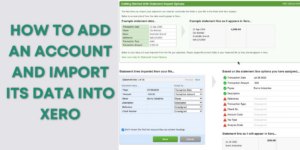
How to Add an Account and Import Its Data into Xero
In this Xero tutorial, you’ll learn how to add a bank account to Xero. And then, how to import your data into that account using a CSV file.
How to Reconcile Your Account in Xero – Part 2, Cash Coding
This is the second part of a Xero training on reconciling your account. In this part, you’ll learn how to use the Cash Coding method.